SlideShare a Scribd company logo
© 2016 Cengage Learning. All Rights Reserved. May not be copied, scanned, or duplicated, in whole or in part, except for use as permitted
in a license distributed with a certain product or service or otherwise on a password-protected website for classroom use.
1
Slides by
John
Loucks
St. Edward’s
University
© 2016 Cengage Learning. All Rights Reserved. May not be copied, scanned, or duplicated, in whole or in part, except for use as permitted
in a license distributed with a certain product or service or otherwise on a password-protected website for classroom use.
2
2
Chapter 12, Part A
Simple Linear Regression
 Simple Linear Regression Model
 Least Squares Method
 Coefficient of Determination
 Model Assumptions
 Testing for Significance
© 2016 Cengage Learning. All Rights Reserved. May not be copied, scanned, or duplicated, in whole or in part, except for use as permitted
in a license distributed with a certain product or service or otherwise on a password-protected website for classroom use.
3
Simple Linear Regression
 Regression analysis can be used to develop an
equation showing how the variables are related.
 Managerial decisions often are based on the
relationship between two or more variables.
 The variables being used to predict the value of the
dependent variable are called the independent
variables and are denoted by x.
 The variable being predicted is called the dependent
variable and is denoted by y.
© 2016 Cengage Learning. All Rights Reserved. May not be copied, scanned, or duplicated, in whole or in part, except for use as permitted
in a license distributed with a certain product or service or otherwise on a password-protected website for classroom use.
4
 The relationship between the two variables is
approximated by a straight line.
 Simple linear regression involves one independent
variable and one dependent variable.
 Regression analysis involving two or more
independent variables is called multiple regression.
Simple Linear Regression
© 2016 Cengage Learning. All Rights Reserved. May not be copied, scanned, or duplicated, in whole or in part, except for use as permitted
in a license distributed with a certain product or service or otherwise on a password-protected website for classroom use.
5
5
Simple Linear Regression Model
y = b0 + b1x +e
where:
b0 and b1 are called parameters of the model,
e is a random variable called the error term.
 The simple linear regression model is:
 The equation that describes how y is related to x and
an error term is called the regression model.
© 2016 Cengage Learning. All Rights Reserved. May not be copied, scanned, or duplicated, in whole or in part, except for use as permitted
in a license distributed with a certain product or service or otherwise on a password-protected website for classroom use.
6
Simple Linear Regression Equation
 The simple linear regression equation is:
• E(y) is the expected value of y for a given x value.
• b1 is the slope of the regression line.
• b0 is the y intercept of the regression line.
• Graph of the regression equation is a straight line.
E(y) = 0 + 1x
© 2016 Cengage Learning. All Rights Reserved. May not be copied, scanned, or duplicated, in whole or in part, except for use as permitted
in a license distributed with a certain product or service or otherwise on a password-protected website for classroom use.
7
Simple Linear Regression Equation
 Positive Linear Relationship
E(y)
x
Slope b1
is positive
Regression line
Intercept
b0
© 2016 Cengage Learning. All Rights Reserved. May not be copied, scanned, or duplicated, in whole or in part, except for use as permitted
in a license distributed with a certain product or service or otherwise on a password-protected website for classroom use.
8
Simple Linear Regression Equation
 Negative Linear Relationship
E(y)
x
Slope b1
is negative
Regression line
Intercept
b0
© 2016 Cengage Learning. All Rights Reserved. May not be copied, scanned, or duplicated, in whole or in part, except for use as permitted
in a license distributed with a certain product or service or otherwise on a password-protected website for classroom use.
9
Simple Linear Regression Equation
 No Relationship
E(y)
x
Slope b1
is 0
Regression line
Intercept
b0
© 2016 Cengage Learning. All Rights Reserved. May not be copied, scanned, or duplicated, in whole or in part, except for use as permitted
in a license distributed with a certain product or service or otherwise on a password-protected website for classroom use.
10
Estimated Simple Linear Regression Equation
 The estimated simple linear regression equation
• is the estimated value of y for a given x value.
• b1 is the slope of the line.
• b0 is the y intercept of the line.
• The graph is called the estimated regression line.
^
𝑦 =𝑏0 +𝑏1 𝑥
© 2016 Cengage Learning. All Rights Reserved. May not be copied, scanned, or duplicated, in whole or in part, except for use as permitted
in a license distributed with a certain product or service or otherwise on a password-protected website for classroom use.
11
Estimation Process
Regression Model
y = b0 + b1x +e
Regression Equation
E(y) = b0 + b1x
Unknown Parameters
b0, b1
Sample Data:
x y
x1 y1
. .
. .
xn yn
b0 and b1
provide estimates of
b0 and b1
Estimated
Regression Equation
Sample Statistics
b0, b1
^
𝑦 =𝑏0 +𝑏1 𝑥
© 2016 Cengage Learning. All Rights Reserved. May not be copied, scanned, or duplicated, in whole or in part, except for use as permitted
in a license distributed with a certain product or service or otherwise on a password-protected website for classroom use.
12
12
Least Squares Method
 Least Squares Criterion
where:
yi = observed value of the dependent variable
for the i th observation
= estimated value of the dependent variable
for the i th observation
min
© 2016 Cengage Learning. All Rights Reserved. May not be copied, scanned, or duplicated, in whole or in part, except for use as permitted
in a license distributed with a certain product or service or otherwise on a password-protected website for classroom use.
13
13
Least Squares Method
 Slope for the Estimated Regression Equation
where:
xi = value of independent variable for i th
observation
= mean value for dependent variable
= mean value for independent variable
yi = value of dependent variable for i th
observation
𝑏1=
∑ (𝑥𝑖 − 𝑥 )( 𝑦𝑖 − 𝑦 )
∑ (𝑥𝑖 − 𝑥 )
2
© 2016 Cengage Learning. All Rights Reserved. May not be copied, scanned, or duplicated, in whole or in part, except for use as permitted
in a license distributed with a certain product or service or otherwise on a password-protected website for classroom use.
14
 y-Intercept for the Estimated Regression Equation
Least Squares Method
𝑏0= 𝑦−𝑏1 𝑥
© 2016 Cengage Learning. All Rights Reserved. May not be copied, scanned, or duplicated, in whole or in part, except for use as permitted
in a license distributed with a certain product or service or otherwise on a password-protected website for classroom use.
15
15
Reed Auto periodically has a special week-long sale.
As part of the advertising campaign Reed runs one or
more television commercials during the weekend
preceding the sale. Data from a sample of 5 previous
sales are shown on the next slide.
Simple Linear Regression
 Example: Reed Auto Sales
© 2016 Cengage Learning. All Rights Reserved. May not be copied, scanned, or duplicated, in whole or in part, except for use as permitted
in a license distributed with a certain product or service or otherwise on a password-protected website for classroom use.
16
Simple Linear Regression
 Example: Reed Auto Sales
Number of
TV Ads (x)
Number of
Cars Sold (y)
1
3
2
1
3
14
24
18
17
27
Sx = 10 Sy = 100
𝑥=2 𝑦=20
© 2016 Cengage Learning. All Rights Reserved. May not be copied, scanned, or duplicated, in whole or in part, except for use as permitted
in a license distributed with a certain product or service or otherwise on a password-protected website for classroom use.
17
17
Estimated Regression Equation
 Slope for the Estimated Regression Equation
 y-Intercept for the Estimated Regression Equation
 Estimated Regression Equation
𝑏0= 𝑦− 𝑏1 𝑥=20−5(2)=10
𝑏1 =
∑ (𝑥𝑖 − 𝑥 )( 𝑦𝑖 − 𝑦 )
∑ (𝑥𝑖 − 𝑥 )
2
=
20
4
=5
^
𝑦 =10+5 𝑥
© 2016 Cengage Learning. All Rights Reserved. May not be copied, scanned, or duplicated, in whole or in part, except for use as permitted
in a license distributed with a certain product or service or otherwise on a password-protected website for classroom use.
18
18
 Excel Worksheet (showing data)
Estimated Regression Equation
A B C D
1 Week TV Ads Cars Sold
2 1 1 14
3 2 3 24
4 3 2 18
5 4 1 17
6 5 3 27
7
© 2016 Cengage Learning. All Rights Reserved. May not be copied, scanned, or duplicated, in whole or in part, except for use as permitted
in a license distributed with a certain product or service or otherwise on a password-protected website for classroom use.
19
 Producing a Scatter Diagram
Step 1 Select cells B2:C6
Step 2 Click the Insert tab on the Ribbon
Step 3 In the Charts group, click Insert Scatter (X,Y)
Step 4 When the list of scatter diagram subtypes appears,
Click Scatter (chart in upper left corner)
Using Excel’s Chart Tools for
Scatter Diagram & Estimated Regression Equation
© 2016 Cengage Learning. All Rights Reserved. May not be copied, scanned, or duplicated, in whole or in part, except for use as permitted
in a license distributed with a certain product or service or otherwise on a password-protected website for classroom use.
20
 Editing a Scatter Diagram
Step 1 Click the Chart Title and replace it with
Reed Auto Sales Estimated Regression Line
Step 3 When the list of chart elements appears:
Click Axis Titles (creates placeholders for
titles)
Click Gridlines (to deselect gridlines option)
Click Trendline
Using Excel’s Chart Tools for
Scatter Diagram & Estimated Regression Equation
Step 2 Click the Chart Elements button
© 2016 Cengage Learning. All Rights Reserved. May not be copied, scanned, or duplicated, in whole or in part, except for use as permitted
in a license distributed with a certain product or service or otherwise on a password-protected website for classroom use.
21
 Editing a Scatter Diagram (continued)
Step 4 Click the Horizontal (Category) Axis Title and
replace it with TV Ads
Step 5 Click the Vertical (Value) Axis Title and
replace it with Cars Sold
Step 6 Select the Format Trendline option
Using Excel’s Chart Tools for
Scatter Diagram & Estimated Regression Equation
Step 7 When the Format Trendline dialog box appears:
Select Display equation on chart
Click the Fill & Line button
In the Dash type box, select Solid
Close the Format Trendline dialog box
© 2016 Cengage Learning. All Rights Reserved. May not be copied, scanned, or duplicated, in whole or in part, except for use as permitted
in a license distributed with a certain product or service or otherwise on a password-protected website for classroom use.
22
Using Excel’s Chart Tools for
Scatter Diagram & Estimated Regression Equation
y = 5x + 10
0
5
10
15
20
25
30
0 1 2 3 4
TV Ads
Cars
Sold
Reed Auto Sales Estimated Regression Line
© 2016 Cengage Learning. All Rights Reserved. May not be copied, scanned, or duplicated, in whole or in part, except for use as permitted
in a license distributed with a certain product or service or otherwise on a password-protected website for classroom use.
23
23
Coefficient of Determination
 Relationship Among SST, SSR, SSE
where:
SST = total sum of squares
SSR = sum of squares due to regression
SSE = sum of squares due to error
SST = SSR + SSE
=
© 2016 Cengage Learning. All Rights Reserved. May not be copied, scanned, or duplicated, in whole or in part, except for use as permitted
in a license distributed with a certain product or service or otherwise on a password-protected website for classroom use.
24
 The coefficient of determination is:
Coefficient of Determination
where:
SSR = sum of squares due to regression
SST = total sum of squares
r2
= SSR/SST
© 2016 Cengage Learning. All Rights Reserved. May not be copied, scanned, or duplicated, in whole or in part, except for use as permitted
in a license distributed with a certain product or service or otherwise on a password-protected website for classroom use.
25
25
Coefficient of Determination
r2
= SSR/SST = 100/114 = .8772
The regression relationship is very strong; 87.72%
of the variability in the number of cars sold can be
explained by the linear relationship between the
number of TV ads and the number of cars sold.
© 2016 Cengage Learning. All Rights Reserved. May not be copied, scanned, or duplicated, in whole or in part, except for use as permitted
in a license distributed with a certain product or service or otherwise on a password-protected website for classroom use.
26
26
Using Excel to Compute the
Coefficient of Determination
 Adding r 2
Value to Scatter Diagram
Step 2 When the Format Trendline dialog box appears:
Select Display R-squared on chart
Close the Format Trendline dialog box
Step 1 Right-click on the trendline and select the
Format Trendline option
© 2016 Cengage Learning. All Rights Reserved. May not be copied, scanned, or duplicated, in whole or in part, except for use as permitted
in a license distributed with a certain product or service or otherwise on a password-protected website for classroom use.
27
27
 Adding r 2
Value to Scatter Diagram
y = 5x + 10
R
2
= 0.8772
0
5
10
15
20
25
30
0 1 2 3 4
TV Ads
Cars
Sold
Using Excel to Compute the
Coefficient of Determination
Reed Auto Sales Estimated Regression Line
© 2016 Cengage Learning. All Rights Reserved. May not be copied, scanned, or duplicated, in whole or in part, except for use as permitted
in a license distributed with a certain product or service or otherwise on a password-protected website for classroom use.
28
Sample Correlation Coefficient
𝑟𝑥𝑦=(signof 𝑏1)√Coefficient of Determination
𝑟𝑥𝑦=(signof 𝑏1)√𝑟2
where:
b1 = the slope of the estimated regression
equation
^
𝑦 =𝑏0 +𝑏1 𝑥
© 2016 Cengage Learning. All Rights Reserved. May not be copied, scanned, or duplicated, in whole or in part, except for use as permitted
in a license distributed with a certain product or service or otherwise on a password-protected website for classroom use.
29
29
The sign of b1 in the equation
Sample Correlation Coefficient
rxy = +.9366
𝑟𝑥𝑦=(signof 𝑏1)√𝑟2
𝑟𝑥𝑦=+√.8772
© 2016 Cengage Learning. All Rights Reserved. May not be copied, scanned, or duplicated, in whole or in part, except for use as permitted
in a license distributed with a certain product or service or otherwise on a password-protected website for classroom use.
30
30
Assumptions About the Error Term e
1. The error  is a random variable with mean of zero.
2. The variance of  , denoted by  2
, is the same for
all values of the independent variable.
3. The values of  are independent.
4. The error  is a normally distributed random
variable.
© 2016 Cengage Learning. All Rights Reserved. May not be copied, scanned, or duplicated, in whole or in part, except for use as permitted
in a license distributed with a certain product or service or otherwise on a password-protected website for classroom use.
31
31
Testing for Significance
To test for a significant regression relationship, we
must conduct a hypothesis test to determine whether
the value of b1 is zero.
Two tests are commonly used:
t Test and F Test
Both the t test and F test require an estimate of s 2
,
the variance of e in the regression model.
© 2016 Cengage Learning. All Rights Reserved. May not be copied, scanned, or duplicated, in whole or in part, except for use as permitted
in a license distributed with a certain product or service or otherwise on a password-protected website for classroom use.
32
32
Testing for Significance
 An Estimate of s 2
where:
s2
= MSE = SSE/(n - 2)
The mean square error (MSE) provides the estimate
of s 2
, and the notation s2
is also used.
SSE=
© 2016 Cengage Learning. All Rights Reserved. May not be copied, scanned, or duplicated, in whole or in part, except for use as permitted
in a license distributed with a certain product or service or otherwise on a password-protected website for classroom use.
33
33
Testing for Significance
 An Estimate of s
• To estimate s, we take the square root of s2
.
• The resulting s is called the standard error of
the estimate.
s =
© 2016 Cengage Learning. All Rights Reserved. May not be copied, scanned, or duplicated, in whole or in part, except for use as permitted
in a license distributed with a certain product or service or otherwise on a password-protected website for classroom use.
34
34
Testing for Significance: t Test
 Hypotheses
 Test Statistic
where
H0: b1 = 0
Ha: b1 ≠ 0
𝑡=
𝑏1
𝑠𝑏1
𝑠𝑏1
=
𝑠
√∑ (𝑥𝑖 − 𝑥 )2
© 2016 Cengage Learning. All Rights Reserved. May not be copied, scanned, or duplicated, in whole or in part, except for use as permitted
in a license distributed with a certain product or service or otherwise on a password-protected website for classroom use.
35
 Rejection Rule
Testing for Significance: t Test
where:
t is based on a t distribution
with n - 2 degrees of freedom
Reject H0 if p-value < a
or t < -tor t > t
© 2016 Cengage Learning. All Rights Reserved. May not be copied, scanned, or duplicated, in whole or in part, except for use as permitted
in a license distributed with a certain product or service or otherwise on a password-protected website for classroom use.
36
1. Determine the hypotheses.
2. Specify the level of significance.
3. Select the test statistic.
a = .05
4. State the rejection rule. Reject H0 if p-value < .05
or |t| > 3.182 (with
3 degrees of freedom)
Testing for Significance: t Test
𝑡=
𝑏1
𝑠𝑏1
H0: b1 = 0
Ha: b1 ≠ 0
© 2016 Cengage Learning. All Rights Reserved. May not be copied, scanned, or duplicated, in whole or in part, except for use as permitted
in a license distributed with a certain product or service or otherwise on a password-protected website for classroom use.
37
Testing for Significance: t Test
5. Compute the value of the test statistic.
6. Determine whether to reject H0.
t = 4.541 provides an area of .01 in the upper
tail. Hence, the p-value is less than .02. (Also,
t = 4.63 > 3.182.) We can reject H0.
=
© 2016 Cengage Learning. All Rights Reserved. May not be copied, scanned, or duplicated, in whole or in part, except for use as permitted
in a license distributed with a certain product or service or otherwise on a password-protected website for classroom use.
38
38
Confidence Interval for 1
 H0 is rejected if the hypothesized value of 1 is not
included in the confidence interval for 1.
 We can use a 95% confidence interval for 1 to test
the hypotheses just used in the t test.
© 2016 Cengage Learning. All Rights Reserved. May not be copied, scanned, or duplicated, in whole or in part, except for use as permitted
in a license distributed with a certain product or service or otherwise on a password-protected website for classroom use.
39
39
Confidence Interval for 1
 The form of a confidence interval for 1 is:
where ta/2 is the t value providing an area
of a/2 in the upper tail of a t distribution
with n - 2 degrees of freedom
b1 is the
point
estimator
𝑏1 ± 𝑡𝞪 / 2 𝑠𝑏1
is the
margin
of error
𝑡𝞪/ 2 𝑠𝑏1
© 2016 Cengage Learning. All Rights Reserved. May not be copied, scanned, or duplicated, in whole or in part, except for use as permitted
in a license distributed with a certain product or service or otherwise on a password-protected website for classroom use.
40
40
Confidence Interval for 1
Reject H0 if 0 is not included in
the confidence interval for 1.
0 is not included in the confidence interval.
Reject H0
or 1.56 to 8.44
 Rejection Rule
 95% Confidence Interval for 1
 Conclusion
= 5 +/- 3.182(1.08) = 5 +/- 3.44
𝑏1 ± 𝑡𝞪 / 2 𝑠𝑏1
© 2016 Cengage Learning. All Rights Reserved. May not be copied, scanned, or duplicated, in whole or in part, except for use as permitted
in a license distributed with a certain product or service or otherwise on a password-protected website for classroom use.
41
 Hypotheses
 Test Statistic
Testing for Significance: F Test
F = MSR/MSE
H0: b1 = 0
Ha: b1 ≠ 0
© 2016 Cengage Learning. All Rights Reserved. May not be copied, scanned, or duplicated, in whole or in part, except for use as permitted
in a license distributed with a certain product or service or otherwise on a password-protected website for classroom use.
42
 Rejection Rule
Testing for Significance: F Test
where:
F is based on an F distribution with
1 degree of freedom in the numerator and
n - 2 degrees of freedom in the denominator
Reject H0 if
p-value < a
or F > F
© 2016 Cengage Learning. All Rights Reserved. May not be copied, scanned, or duplicated, in whole or in part, except for use as permitted
in a license distributed with a certain product or service or otherwise on a password-protected website for classroom use.
43
1. Determine the hypotheses.
2. Specify the level of significance.
3. Select the test statistic.
a = .05
4. State the rejection rule. Reject H0 if p-value < .05
or F > 10.13 (with 1 d.f.
in numerator and
3 d.f. in denominator)
Testing for Significance: F Test
F = MSR/MSE
H0: b1 = 0
Ha: b1 ≠ 0
© 2016 Cengage Learning. All Rights Reserved. May not be copied, scanned, or duplicated, in whole or in part, except for use as permitted
in a license distributed with a certain product or service or otherwise on a password-protected website for classroom use.
44
Testing for Significance: F Test
5. Compute the value of the test statistic.
6. Determine whether to reject H0.
F = 17.44 provides an area of .025 in the
upper tail. Thus, the p-value corresponding to F
= 21.43 is less than .025. Hence, we reject H0.
F = MSR/MSE = 100/4.667 = 21.43
The statistical evidence is sufficient to conclude
that we have a significant relationship between the
number of TV ads aired and the number of cars sold.
© 2016 Cengage Learning. All Rights Reserved. May not be copied, scanned, or duplicated, in whole or in part, except for use as permitted
in a license distributed with a certain product or service or otherwise on a password-protected website for classroom use.
45
45
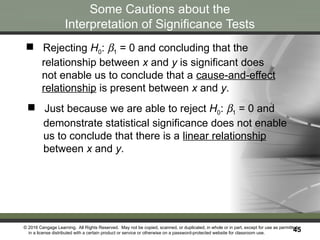
Some Cautions about the
Interpretation of Significance Tests
 Just because we are able to reject H0: b1 = 0 and
demonstrate statistical significance does not enable
us to conclude that there is a linear relationship
between x and y.
 Rejecting H0: b1 = 0 and concluding that the
relationship between x and y is significant does
not enable us to conclude that a cause-and-effect
relationship is present between x and y.
© 2016 Cengage Learning. All Rights Reserved. May not be copied, scanned, or duplicated, in whole or in part, except for use as permitted
in a license distributed with a certain product or service or otherwise on a password-protected website for classroom use.
46
46
End of Chapter 12, Part A

More Related Content

PPTX
Regression Analysis.pptx
PPT
wwwwwwwwwwwwwwwwwwwwW7_Simple_linear_regression_PPT.ppt
PPTX
Regression refers to the statistical technique of modeling
PPTX
Basics of Regression analysis
PDF
Regression analysis
DOCX
© 2019 Cengage. All Rights Reserved. Linear RegressionC.docx
PDF
probability distribution term 1 IMI New Delhi.pdf
PPTX
Unit4- Lecture1.pptx simple linear regression
Regression Analysis.pptx
wwwwwwwwwwwwwwwwwwwwW7_Simple_linear_regression_PPT.ppt
Regression refers to the statistical technique of modeling
Basics of Regression analysis
Regression analysis
© 2019 Cengage. All Rights Reserved. Linear RegressionC.docx
probability distribution term 1 IMI New Delhi.pdf
Unit4- Lecture1.pptx simple linear regression

Similar to Buoi 1.2-EMBS6Regre, Simple Lineae Regression, (20)

PPTX
business Lesson-Linear-Regression-1.pptx
PDF
Lecture 1.pdf
PPT
Simple Linear Regression.pptSimple Linear Regression.ppt
PPT
15.Simple Linear Regression of case study-530 (2).ppt
PDF
Lesson 10 - Regression Analysis
PDF
Ch14
PPTX
ML_Regression.pptx
PPTX
MachineLearning_Unit-II.pptxScrum.pptxAgile Model.pptxAgile Model.pptxAgile M...
PPTX
regression analysis presentation slides.
PPTX
Regression Analysis.pptx
PPTX
Regression Analysis Techniques.pptx
PDF
Linear regression model in econometrics undergraduate
PDF
MachineLearning_Unit-II.FHDGFHJKpptx.pdf
PPTX
Linear Regression final-1.pptx thbejnnej
PPTX
Regression Analysis.pptx
PPTX
Introduction to Regression . pptx
PPTX
Simple Linear Regression explanation.pptx
PDF
Module-2_ML.pdf
PPT
Newbold_chap12.ppt
PDF
Simple Linear Regression detail explanation.pdf
business Lesson-Linear-Regression-1.pptx
Lecture 1.pdf
Simple Linear Regression.pptSimple Linear Regression.ppt
15.Simple Linear Regression of case study-530 (2).ppt
Lesson 10 - Regression Analysis
Ch14
ML_Regression.pptx
MachineLearning_Unit-II.pptxScrum.pptxAgile Model.pptxAgile Model.pptxAgile M...
regression analysis presentation slides.
Regression Analysis.pptx
Regression Analysis Techniques.pptx
Linear regression model in econometrics undergraduate
MachineLearning_Unit-II.FHDGFHJKpptx.pdf
Linear Regression final-1.pptx thbejnnej
Regression Analysis.pptx
Introduction to Regression . pptx
Simple Linear Regression explanation.pptx
Module-2_ML.pdf
Newbold_chap12.ppt
Simple Linear Regression detail explanation.pdf
Ad

Recently uploaded (20)

PPT
ISS -ESG Data flows What is ESG and HowHow
PPTX
01_intro xxxxxxxxxxfffffffffffaaaaaaaaaaafg
PDF
Microsoft Core Cloud Services powerpoint
PDF
Business Analytics and business intelligence.pdf
PDF
168300704-gasification-ppt.pdfhghhhsjsjhsuxush
PDF
Capcut Pro Crack For PC Latest Version {Fully Unlocked 2025}
PPTX
CYBER SECURITY the Next Warefare Tactics
PDF
Data Engineering Interview Questions & Answers Batch Processing (Spark, Hadoo...
PPT
lectureusjsjdhdsjjshdshshddhdhddhhd1.ppt
PPTX
Acceptance and paychological effects of mandatory extra coach I classes.pptx
PPTX
IMPACT OF LANDSLIDE.....................
PPTX
Market Analysis -202507- Wind-Solar+Hybrid+Street+Lights+for+the+North+Amer...
PPTX
Leprosy and NLEP programme community medicine
PDF
Systems Analysis and Design, 12th Edition by Scott Tilley Test Bank.pdf
PPTX
mbdjdhjjodule 5-1 rhfhhfjtjjhafbrhfnfbbfnb
PDF
Transcultural that can help you someday.
PPTX
Managing Community Partner Relationships
PDF
[EN] Industrial Machine Downtime Prediction
PPT
Predictive modeling basics in data cleaning process
PDF
Jean-Georges Perrin - Spark in Action, Second Edition (2020, Manning Publicat...
ISS -ESG Data flows What is ESG and HowHow
01_intro xxxxxxxxxxfffffffffffaaaaaaaaaaafg
Microsoft Core Cloud Services powerpoint
Business Analytics and business intelligence.pdf
168300704-gasification-ppt.pdfhghhhsjsjhsuxush
Capcut Pro Crack For PC Latest Version {Fully Unlocked 2025}
CYBER SECURITY the Next Warefare Tactics
Data Engineering Interview Questions & Answers Batch Processing (Spark, Hadoo...
lectureusjsjdhdsjjshdshshddhdhddhhd1.ppt
Acceptance and paychological effects of mandatory extra coach I classes.pptx
IMPACT OF LANDSLIDE.....................
Market Analysis -202507- Wind-Solar+Hybrid+Street+Lights+for+the+North+Amer...
Leprosy and NLEP programme community medicine
Systems Analysis and Design, 12th Edition by Scott Tilley Test Bank.pdf
mbdjdhjjodule 5-1 rhfhhfjtjjhafbrhfnfbbfnb
Transcultural that can help you someday.
Managing Community Partner Relationships
[EN] Industrial Machine Downtime Prediction
Predictive modeling basics in data cleaning process
Jean-Georges Perrin - Spark in Action, Second Edition (2020, Manning Publicat...
Ad

Buoi 1.2-EMBS6Regre, Simple Lineae Regression,

  • 1. © 2016 Cengage Learning. All Rights Reserved. May not be copied, scanned, or duplicated, in whole or in part, except for use as permitted in a license distributed with a certain product or service or otherwise on a password-protected website for classroom use. 1 Slides by John Loucks St. Edward’s University
  • 2. © 2016 Cengage Learning. All Rights Reserved. May not be copied, scanned, or duplicated, in whole or in part, except for use as permitted in a license distributed with a certain product or service or otherwise on a password-protected website for classroom use. 2 2 Chapter 12, Part A Simple Linear Regression  Simple Linear Regression Model  Least Squares Method  Coefficient of Determination  Model Assumptions  Testing for Significance
  • 3. © 2016 Cengage Learning. All Rights Reserved. May not be copied, scanned, or duplicated, in whole or in part, except for use as permitted in a license distributed with a certain product or service or otherwise on a password-protected website for classroom use. 3 Simple Linear Regression  Regression analysis can be used to develop an equation showing how the variables are related.  Managerial decisions often are based on the relationship between two or more variables.  The variables being used to predict the value of the dependent variable are called the independent variables and are denoted by x.  The variable being predicted is called the dependent variable and is denoted by y.
  • 4. © 2016 Cengage Learning. All Rights Reserved. May not be copied, scanned, or duplicated, in whole or in part, except for use as permitted in a license distributed with a certain product or service or otherwise on a password-protected website for classroom use. 4  The relationship between the two variables is approximated by a straight line.  Simple linear regression involves one independent variable and one dependent variable.  Regression analysis involving two or more independent variables is called multiple regression. Simple Linear Regression
  • 5. © 2016 Cengage Learning. All Rights Reserved. May not be copied, scanned, or duplicated, in whole or in part, except for use as permitted in a license distributed with a certain product or service or otherwise on a password-protected website for classroom use. 5 5 Simple Linear Regression Model y = b0 + b1x +e where: b0 and b1 are called parameters of the model, e is a random variable called the error term.  The simple linear regression model is:  The equation that describes how y is related to x and an error term is called the regression model.
  • 6. © 2016 Cengage Learning. All Rights Reserved. May not be copied, scanned, or duplicated, in whole or in part, except for use as permitted in a license distributed with a certain product or service or otherwise on a password-protected website for classroom use. 6 Simple Linear Regression Equation  The simple linear regression equation is: • E(y) is the expected value of y for a given x value. • b1 is the slope of the regression line. • b0 is the y intercept of the regression line. • Graph of the regression equation is a straight line. E(y) = 0 + 1x
  • 7. © 2016 Cengage Learning. All Rights Reserved. May not be copied, scanned, or duplicated, in whole or in part, except for use as permitted in a license distributed with a certain product or service or otherwise on a password-protected website for classroom use. 7 Simple Linear Regression Equation  Positive Linear Relationship E(y) x Slope b1 is positive Regression line Intercept b0
  • 8. © 2016 Cengage Learning. All Rights Reserved. May not be copied, scanned, or duplicated, in whole or in part, except for use as permitted in a license distributed with a certain product or service or otherwise on a password-protected website for classroom use. 8 Simple Linear Regression Equation  Negative Linear Relationship E(y) x Slope b1 is negative Regression line Intercept b0
  • 9. © 2016 Cengage Learning. All Rights Reserved. May not be copied, scanned, or duplicated, in whole or in part, except for use as permitted in a license distributed with a certain product or service or otherwise on a password-protected website for classroom use. 9 Simple Linear Regression Equation  No Relationship E(y) x Slope b1 is 0 Regression line Intercept b0
  • 10. © 2016 Cengage Learning. All Rights Reserved. May not be copied, scanned, or duplicated, in whole or in part, except for use as permitted in a license distributed with a certain product or service or otherwise on a password-protected website for classroom use. 10 Estimated Simple Linear Regression Equation  The estimated simple linear regression equation • is the estimated value of y for a given x value. • b1 is the slope of the line. • b0 is the y intercept of the line. • The graph is called the estimated regression line. ^ 𝑦 =𝑏0 +𝑏1 𝑥
  • 11. © 2016 Cengage Learning. All Rights Reserved. May not be copied, scanned, or duplicated, in whole or in part, except for use as permitted in a license distributed with a certain product or service or otherwise on a password-protected website for classroom use. 11 Estimation Process Regression Model y = b0 + b1x +e Regression Equation E(y) = b0 + b1x Unknown Parameters b0, b1 Sample Data: x y x1 y1 . . . . xn yn b0 and b1 provide estimates of b0 and b1 Estimated Regression Equation Sample Statistics b0, b1 ^ 𝑦 =𝑏0 +𝑏1 𝑥
  • 12. © 2016 Cengage Learning. All Rights Reserved. May not be copied, scanned, or duplicated, in whole or in part, except for use as permitted in a license distributed with a certain product or service or otherwise on a password-protected website for classroom use. 12 12 Least Squares Method  Least Squares Criterion where: yi = observed value of the dependent variable for the i th observation = estimated value of the dependent variable for the i th observation min
  • 13. © 2016 Cengage Learning. All Rights Reserved. May not be copied, scanned, or duplicated, in whole or in part, except for use as permitted in a license distributed with a certain product or service or otherwise on a password-protected website for classroom use. 13 13 Least Squares Method  Slope for the Estimated Regression Equation where: xi = value of independent variable for i th observation = mean value for dependent variable = mean value for independent variable yi = value of dependent variable for i th observation 𝑏1= ∑ (𝑥𝑖 − 𝑥 )( 𝑦𝑖 − 𝑦 ) ∑ (𝑥𝑖 − 𝑥 ) 2
  • 14. © 2016 Cengage Learning. All Rights Reserved. May not be copied, scanned, or duplicated, in whole or in part, except for use as permitted in a license distributed with a certain product or service or otherwise on a password-protected website for classroom use. 14  y-Intercept for the Estimated Regression Equation Least Squares Method 𝑏0= 𝑦−𝑏1 𝑥
  • 15. © 2016 Cengage Learning. All Rights Reserved. May not be copied, scanned, or duplicated, in whole or in part, except for use as permitted in a license distributed with a certain product or service or otherwise on a password-protected website for classroom use. 15 15 Reed Auto periodically has a special week-long sale. As part of the advertising campaign Reed runs one or more television commercials during the weekend preceding the sale. Data from a sample of 5 previous sales are shown on the next slide. Simple Linear Regression  Example: Reed Auto Sales
  • 16. © 2016 Cengage Learning. All Rights Reserved. May not be copied, scanned, or duplicated, in whole or in part, except for use as permitted in a license distributed with a certain product or service or otherwise on a password-protected website for classroom use. 16 Simple Linear Regression  Example: Reed Auto Sales Number of TV Ads (x) Number of Cars Sold (y) 1 3 2 1 3 14 24 18 17 27 Sx = 10 Sy = 100 𝑥=2 𝑦=20
  • 17. © 2016 Cengage Learning. All Rights Reserved. May not be copied, scanned, or duplicated, in whole or in part, except for use as permitted in a license distributed with a certain product or service or otherwise on a password-protected website for classroom use. 17 17 Estimated Regression Equation  Slope for the Estimated Regression Equation  y-Intercept for the Estimated Regression Equation  Estimated Regression Equation 𝑏0= 𝑦− 𝑏1 𝑥=20−5(2)=10 𝑏1 = ∑ (𝑥𝑖 − 𝑥 )( 𝑦𝑖 − 𝑦 ) ∑ (𝑥𝑖 − 𝑥 ) 2 = 20 4 =5 ^ 𝑦 =10+5 𝑥
  • 18. © 2016 Cengage Learning. All Rights Reserved. May not be copied, scanned, or duplicated, in whole or in part, except for use as permitted in a license distributed with a certain product or service or otherwise on a password-protected website for classroom use. 18 18  Excel Worksheet (showing data) Estimated Regression Equation A B C D 1 Week TV Ads Cars Sold 2 1 1 14 3 2 3 24 4 3 2 18 5 4 1 17 6 5 3 27 7
  • 19. © 2016 Cengage Learning. All Rights Reserved. May not be copied, scanned, or duplicated, in whole or in part, except for use as permitted in a license distributed with a certain product or service or otherwise on a password-protected website for classroom use. 19  Producing a Scatter Diagram Step 1 Select cells B2:C6 Step 2 Click the Insert tab on the Ribbon Step 3 In the Charts group, click Insert Scatter (X,Y) Step 4 When the list of scatter diagram subtypes appears, Click Scatter (chart in upper left corner) Using Excel’s Chart Tools for Scatter Diagram & Estimated Regression Equation
  • 20. © 2016 Cengage Learning. All Rights Reserved. May not be copied, scanned, or duplicated, in whole or in part, except for use as permitted in a license distributed with a certain product or service or otherwise on a password-protected website for classroom use. 20  Editing a Scatter Diagram Step 1 Click the Chart Title and replace it with Reed Auto Sales Estimated Regression Line Step 3 When the list of chart elements appears: Click Axis Titles (creates placeholders for titles) Click Gridlines (to deselect gridlines option) Click Trendline Using Excel’s Chart Tools for Scatter Diagram & Estimated Regression Equation Step 2 Click the Chart Elements button
  • 21. © 2016 Cengage Learning. All Rights Reserved. May not be copied, scanned, or duplicated, in whole or in part, except for use as permitted in a license distributed with a certain product or service or otherwise on a password-protected website for classroom use. 21  Editing a Scatter Diagram (continued) Step 4 Click the Horizontal (Category) Axis Title and replace it with TV Ads Step 5 Click the Vertical (Value) Axis Title and replace it with Cars Sold Step 6 Select the Format Trendline option Using Excel’s Chart Tools for Scatter Diagram & Estimated Regression Equation Step 7 When the Format Trendline dialog box appears: Select Display equation on chart Click the Fill & Line button In the Dash type box, select Solid Close the Format Trendline dialog box
  • 22. © 2016 Cengage Learning. All Rights Reserved. May not be copied, scanned, or duplicated, in whole or in part, except for use as permitted in a license distributed with a certain product or service or otherwise on a password-protected website for classroom use. 22 Using Excel’s Chart Tools for Scatter Diagram & Estimated Regression Equation y = 5x + 10 0 5 10 15 20 25 30 0 1 2 3 4 TV Ads Cars Sold Reed Auto Sales Estimated Regression Line
  • 23. © 2016 Cengage Learning. All Rights Reserved. May not be copied, scanned, or duplicated, in whole or in part, except for use as permitted in a license distributed with a certain product or service or otherwise on a password-protected website for classroom use. 23 23 Coefficient of Determination  Relationship Among SST, SSR, SSE where: SST = total sum of squares SSR = sum of squares due to regression SSE = sum of squares due to error SST = SSR + SSE =
  • 24. © 2016 Cengage Learning. All Rights Reserved. May not be copied, scanned, or duplicated, in whole or in part, except for use as permitted in a license distributed with a certain product or service or otherwise on a password-protected website for classroom use. 24  The coefficient of determination is: Coefficient of Determination where: SSR = sum of squares due to regression SST = total sum of squares r2 = SSR/SST
  • 25. © 2016 Cengage Learning. All Rights Reserved. May not be copied, scanned, or duplicated, in whole or in part, except for use as permitted in a license distributed with a certain product or service or otherwise on a password-protected website for classroom use. 25 25 Coefficient of Determination r2 = SSR/SST = 100/114 = .8772 The regression relationship is very strong; 87.72% of the variability in the number of cars sold can be explained by the linear relationship between the number of TV ads and the number of cars sold.
  • 26. © 2016 Cengage Learning. All Rights Reserved. May not be copied, scanned, or duplicated, in whole or in part, except for use as permitted in a license distributed with a certain product or service or otherwise on a password-protected website for classroom use. 26 26 Using Excel to Compute the Coefficient of Determination  Adding r 2 Value to Scatter Diagram Step 2 When the Format Trendline dialog box appears: Select Display R-squared on chart Close the Format Trendline dialog box Step 1 Right-click on the trendline and select the Format Trendline option
  • 27. © 2016 Cengage Learning. All Rights Reserved. May not be copied, scanned, or duplicated, in whole or in part, except for use as permitted in a license distributed with a certain product or service or otherwise on a password-protected website for classroom use. 27 27  Adding r 2 Value to Scatter Diagram y = 5x + 10 R 2 = 0.8772 0 5 10 15 20 25 30 0 1 2 3 4 TV Ads Cars Sold Using Excel to Compute the Coefficient of Determination Reed Auto Sales Estimated Regression Line
  • 28. © 2016 Cengage Learning. All Rights Reserved. May not be copied, scanned, or duplicated, in whole or in part, except for use as permitted in a license distributed with a certain product or service or otherwise on a password-protected website for classroom use. 28 Sample Correlation Coefficient 𝑟𝑥𝑦=(signof 𝑏1)√Coefficient of Determination 𝑟𝑥𝑦=(signof 𝑏1)√𝑟2 where: b1 = the slope of the estimated regression equation ^ 𝑦 =𝑏0 +𝑏1 𝑥
  • 29. © 2016 Cengage Learning. All Rights Reserved. May not be copied, scanned, or duplicated, in whole or in part, except for use as permitted in a license distributed with a certain product or service or otherwise on a password-protected website for classroom use. 29 29 The sign of b1 in the equation Sample Correlation Coefficient rxy = +.9366 𝑟𝑥𝑦=(signof 𝑏1)√𝑟2 𝑟𝑥𝑦=+√.8772
  • 30. © 2016 Cengage Learning. All Rights Reserved. May not be copied, scanned, or duplicated, in whole or in part, except for use as permitted in a license distributed with a certain product or service or otherwise on a password-protected website for classroom use. 30 30 Assumptions About the Error Term e 1. The error  is a random variable with mean of zero. 2. The variance of  , denoted by  2 , is the same for all values of the independent variable. 3. The values of  are independent. 4. The error  is a normally distributed random variable.
  • 31. © 2016 Cengage Learning. All Rights Reserved. May not be copied, scanned, or duplicated, in whole or in part, except for use as permitted in a license distributed with a certain product or service or otherwise on a password-protected website for classroom use. 31 31 Testing for Significance To test for a significant regression relationship, we must conduct a hypothesis test to determine whether the value of b1 is zero. Two tests are commonly used: t Test and F Test Both the t test and F test require an estimate of s 2 , the variance of e in the regression model.
  • 32. © 2016 Cengage Learning. All Rights Reserved. May not be copied, scanned, or duplicated, in whole or in part, except for use as permitted in a license distributed with a certain product or service or otherwise on a password-protected website for classroom use. 32 32 Testing for Significance  An Estimate of s 2 where: s2 = MSE = SSE/(n - 2) The mean square error (MSE) provides the estimate of s 2 , and the notation s2 is also used. SSE=
  • 33. © 2016 Cengage Learning. All Rights Reserved. May not be copied, scanned, or duplicated, in whole or in part, except for use as permitted in a license distributed with a certain product or service or otherwise on a password-protected website for classroom use. 33 33 Testing for Significance  An Estimate of s • To estimate s, we take the square root of s2 . • The resulting s is called the standard error of the estimate. s =
  • 34. © 2016 Cengage Learning. All Rights Reserved. May not be copied, scanned, or duplicated, in whole or in part, except for use as permitted in a license distributed with a certain product or service or otherwise on a password-protected website for classroom use. 34 34 Testing for Significance: t Test  Hypotheses  Test Statistic where H0: b1 = 0 Ha: b1 ≠ 0 𝑡= 𝑏1 𝑠𝑏1 𝑠𝑏1 = 𝑠 √∑ (𝑥𝑖 − 𝑥 )2
  • 35. © 2016 Cengage Learning. All Rights Reserved. May not be copied, scanned, or duplicated, in whole or in part, except for use as permitted in a license distributed with a certain product or service or otherwise on a password-protected website for classroom use. 35  Rejection Rule Testing for Significance: t Test where: t is based on a t distribution with n - 2 degrees of freedom Reject H0 if p-value < a or t < -tor t > t
  • 36. © 2016 Cengage Learning. All Rights Reserved. May not be copied, scanned, or duplicated, in whole or in part, except for use as permitted in a license distributed with a certain product or service or otherwise on a password-protected website for classroom use. 36 1. Determine the hypotheses. 2. Specify the level of significance. 3. Select the test statistic. a = .05 4. State the rejection rule. Reject H0 if p-value < .05 or |t| > 3.182 (with 3 degrees of freedom) Testing for Significance: t Test 𝑡= 𝑏1 𝑠𝑏1 H0: b1 = 0 Ha: b1 ≠ 0
  • 37. © 2016 Cengage Learning. All Rights Reserved. May not be copied, scanned, or duplicated, in whole or in part, except for use as permitted in a license distributed with a certain product or service or otherwise on a password-protected website for classroom use. 37 Testing for Significance: t Test 5. Compute the value of the test statistic. 6. Determine whether to reject H0. t = 4.541 provides an area of .01 in the upper tail. Hence, the p-value is less than .02. (Also, t = 4.63 > 3.182.) We can reject H0. =
  • 38. © 2016 Cengage Learning. All Rights Reserved. May not be copied, scanned, or duplicated, in whole or in part, except for use as permitted in a license distributed with a certain product or service or otherwise on a password-protected website for classroom use. 38 38 Confidence Interval for 1  H0 is rejected if the hypothesized value of 1 is not included in the confidence interval for 1.  We can use a 95% confidence interval for 1 to test the hypotheses just used in the t test.
  • 39. © 2016 Cengage Learning. All Rights Reserved. May not be copied, scanned, or duplicated, in whole or in part, except for use as permitted in a license distributed with a certain product or service or otherwise on a password-protected website for classroom use. 39 39 Confidence Interval for 1  The form of a confidence interval for 1 is: where ta/2 is the t value providing an area of a/2 in the upper tail of a t distribution with n - 2 degrees of freedom b1 is the point estimator 𝑏1 ± 𝑡𝞪 / 2 𝑠𝑏1 is the margin of error 𝑡𝞪/ 2 𝑠𝑏1
  • 40. © 2016 Cengage Learning. All Rights Reserved. May not be copied, scanned, or duplicated, in whole or in part, except for use as permitted in a license distributed with a certain product or service or otherwise on a password-protected website for classroom use. 40 40 Confidence Interval for 1 Reject H0 if 0 is not included in the confidence interval for 1. 0 is not included in the confidence interval. Reject H0 or 1.56 to 8.44  Rejection Rule  95% Confidence Interval for 1  Conclusion = 5 +/- 3.182(1.08) = 5 +/- 3.44 𝑏1 ± 𝑡𝞪 / 2 𝑠𝑏1
  • 41. © 2016 Cengage Learning. All Rights Reserved. May not be copied, scanned, or duplicated, in whole or in part, except for use as permitted in a license distributed with a certain product or service or otherwise on a password-protected website for classroom use. 41  Hypotheses  Test Statistic Testing for Significance: F Test F = MSR/MSE H0: b1 = 0 Ha: b1 ≠ 0
  • 42. © 2016 Cengage Learning. All Rights Reserved. May not be copied, scanned, or duplicated, in whole or in part, except for use as permitted in a license distributed with a certain product or service or otherwise on a password-protected website for classroom use. 42  Rejection Rule Testing for Significance: F Test where: F is based on an F distribution with 1 degree of freedom in the numerator and n - 2 degrees of freedom in the denominator Reject H0 if p-value < a or F > F
  • 43. © 2016 Cengage Learning. All Rights Reserved. May not be copied, scanned, or duplicated, in whole or in part, except for use as permitted in a license distributed with a certain product or service or otherwise on a password-protected website for classroom use. 43 1. Determine the hypotheses. 2. Specify the level of significance. 3. Select the test statistic. a = .05 4. State the rejection rule. Reject H0 if p-value < .05 or F > 10.13 (with 1 d.f. in numerator and 3 d.f. in denominator) Testing for Significance: F Test F = MSR/MSE H0: b1 = 0 Ha: b1 ≠ 0
  • 44. © 2016 Cengage Learning. All Rights Reserved. May not be copied, scanned, or duplicated, in whole or in part, except for use as permitted in a license distributed with a certain product or service or otherwise on a password-protected website for classroom use. 44 Testing for Significance: F Test 5. Compute the value of the test statistic. 6. Determine whether to reject H0. F = 17.44 provides an area of .025 in the upper tail. Thus, the p-value corresponding to F = 21.43 is less than .025. Hence, we reject H0. F = MSR/MSE = 100/4.667 = 21.43 The statistical evidence is sufficient to conclude that we have a significant relationship between the number of TV ads aired and the number of cars sold.
  • 45. © 2016 Cengage Learning. All Rights Reserved. May not be copied, scanned, or duplicated, in whole or in part, except for use as permitted in a license distributed with a certain product or service or otherwise on a password-protected website for classroom use. 45 45 Some Cautions about the Interpretation of Significance Tests  Just because we are able to reject H0: b1 = 0 and demonstrate statistical significance does not enable us to conclude that there is a linear relationship between x and y.  Rejecting H0: b1 = 0 and concluding that the relationship between x and y is significant does not enable us to conclude that a cause-and-effect relationship is present between x and y.
  • 46. © 2016 Cengage Learning. All Rights Reserved. May not be copied, scanned, or duplicated, in whole or in part, except for use as permitted in a license distributed with a certain product or service or otherwise on a password-protected website for classroom use. 46 46 End of Chapter 12, Part A